Hooks were introduced in React 16.8 in late 2018.
This was not possible before.
Also, hooks allow us to reuse component and state logic across different components.

This was tricky to do before.
Therefore, hooks have been a game-changer.
In this article, we will explore how to test React Hooks.
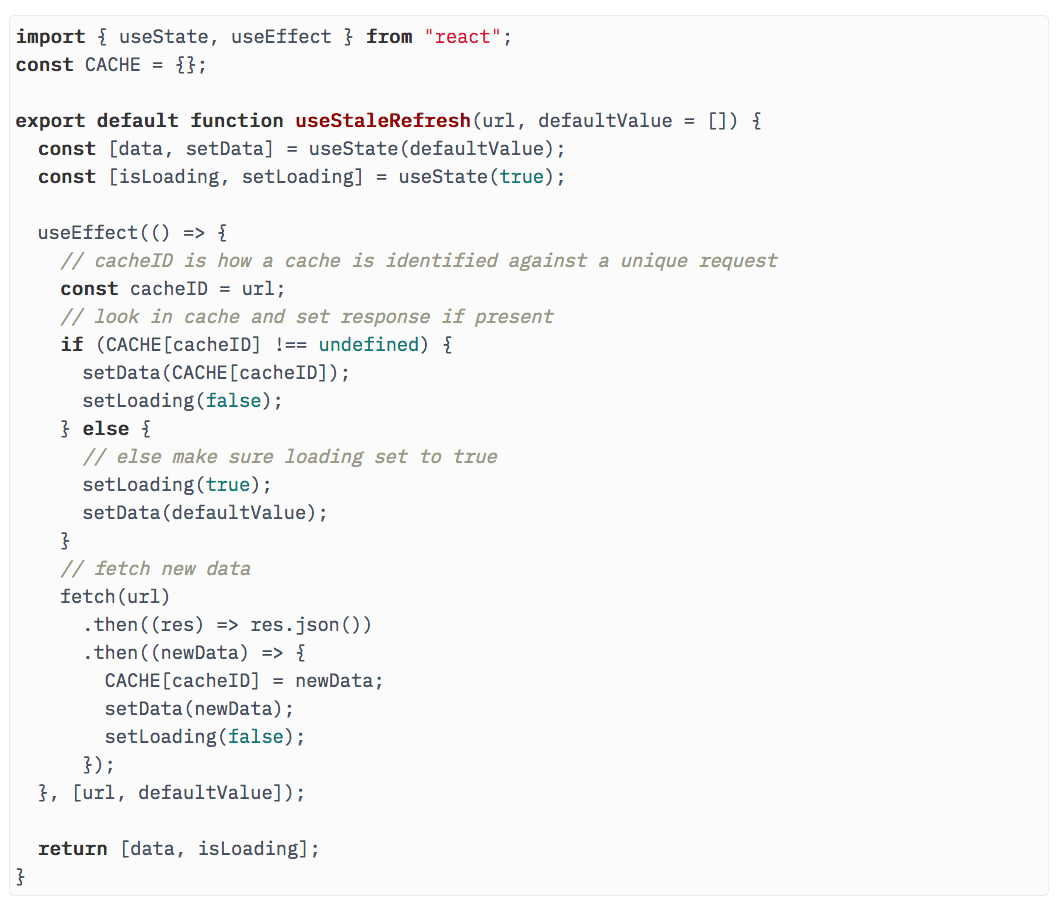
We will pick a sufficiently complex hook and work on testing it.
We expect that you are anavid React developeralready familiar with React Hooks.
40% off TNW Conference!
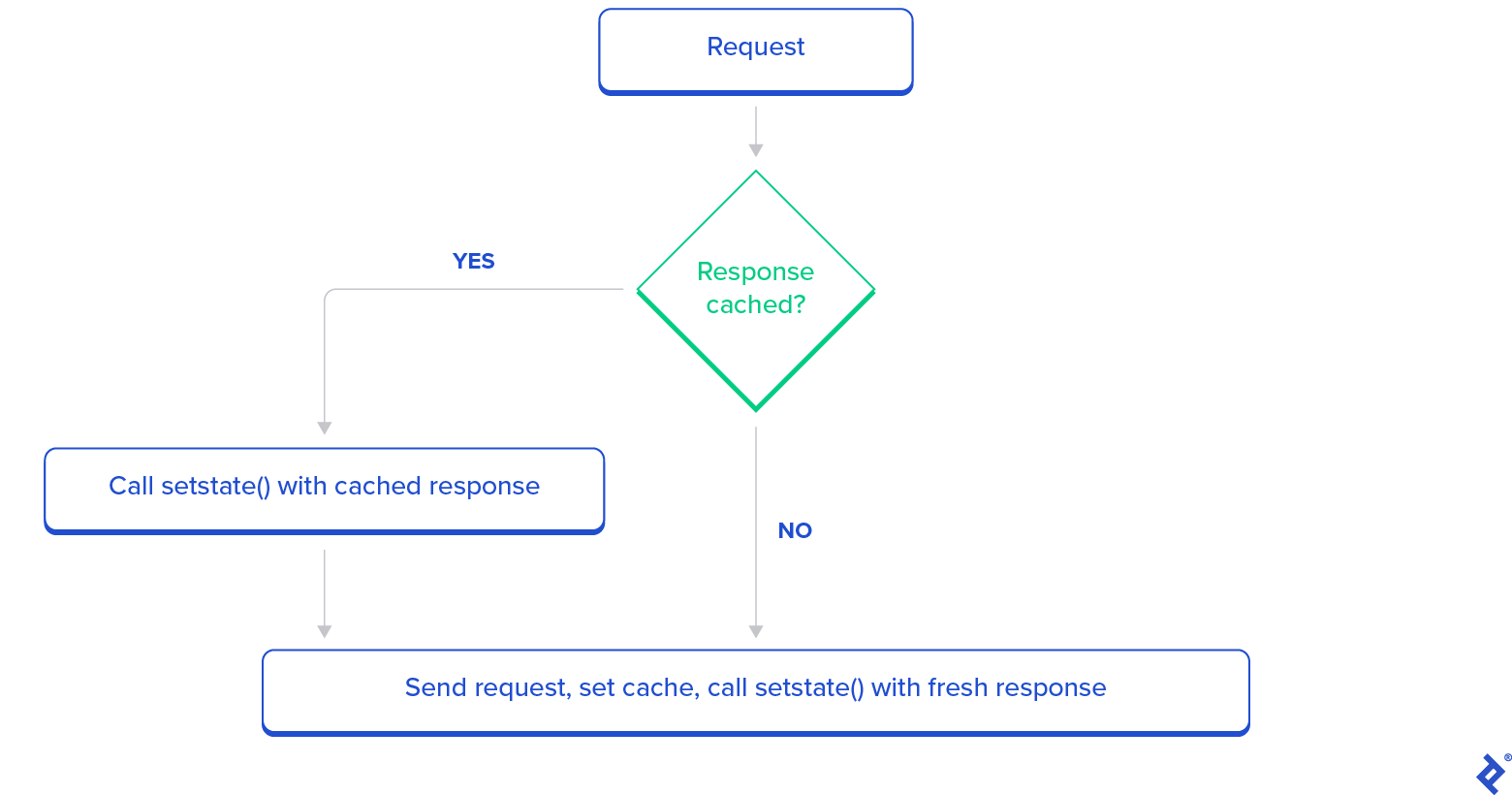
The hook is calleduseStaleRefresh.
If you havent read the article, dont worry as I will recap that part here.
It uses a simple in-memory store to hold the cache.
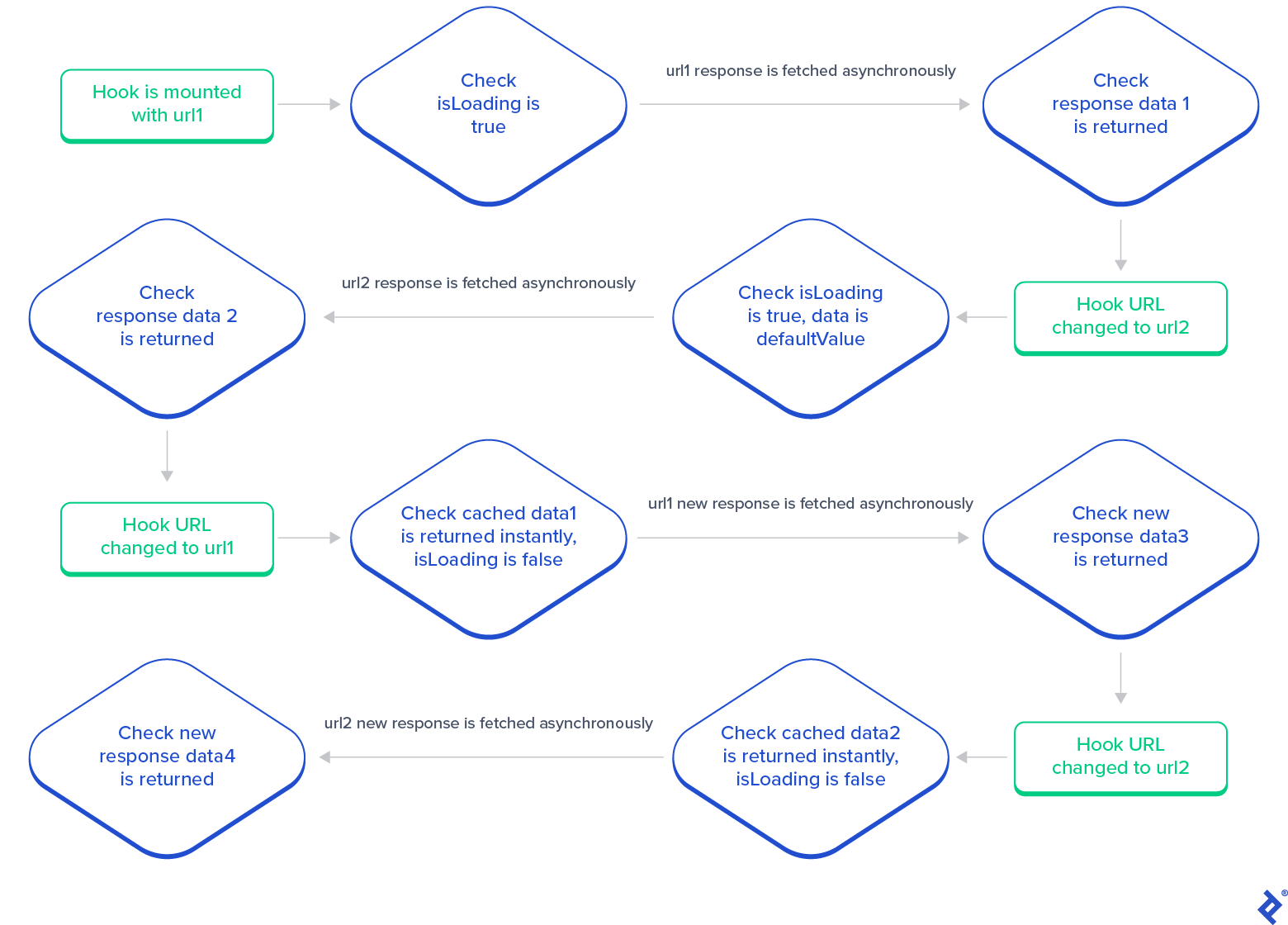
It also returns anisLoadingvalue that is true if no data or cache is available yet.
The client can use it to show a loading indicator.
TheisLoadingvalue is set to false when cache or fresh response is available.
Therefore, if we can ensure this test works, we are good.
This will provide us with an in-depth understanding of how to test React Hooks.
To begin this test, first, we would like to mockfetch.
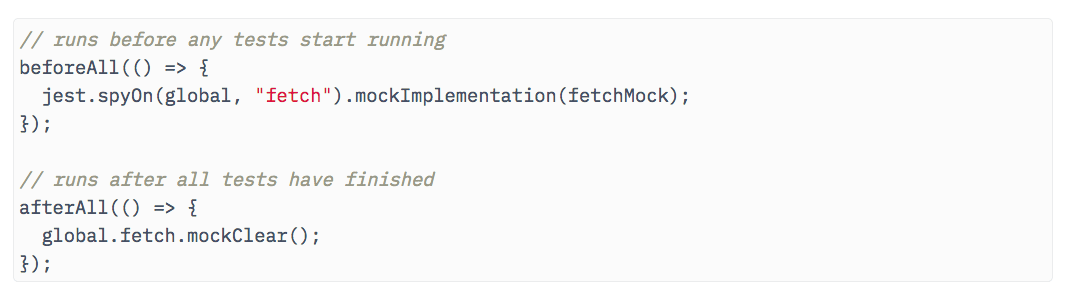
This is so we can have control over what the API returns.
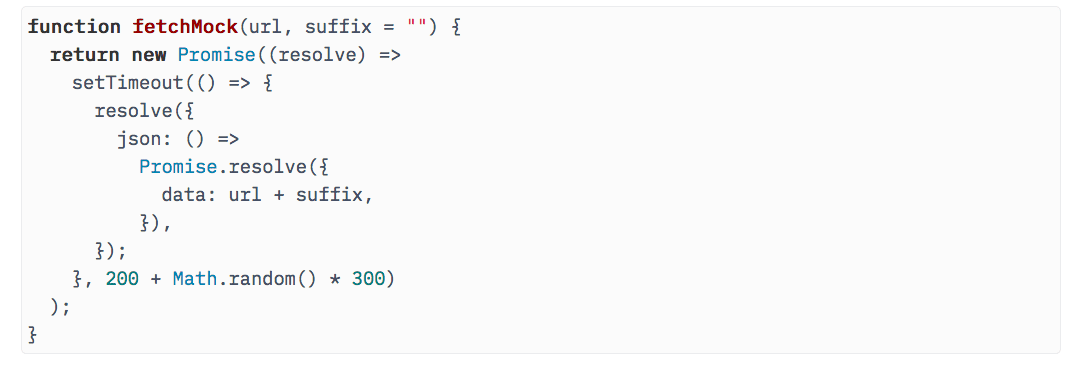
Here is the mockedfetch.
It also adds a random delay of between 200ms and 500ms to the response.
If we want to change the response, we simply set the second argumentsuffixto a non-empty string value.
At this point, you might ask, why the delay?
Why dont we just return the response instantly?
This is because we want to replicate the real world as much as possible.
We cant test the hook correctly if we return it instantly.
With our fetch mock ready, we can set it to thefetchfunction.

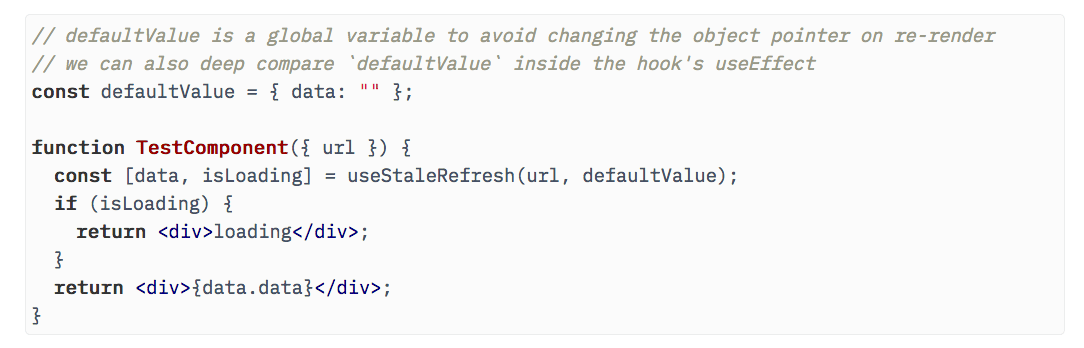
Then, we need to mount the hook in a component.
Because hooks are just functions on their own.
Only when used in components can they respond touseState,useEffect, etc.
So, we need to create aTestComponentthat helps us mount our hook.
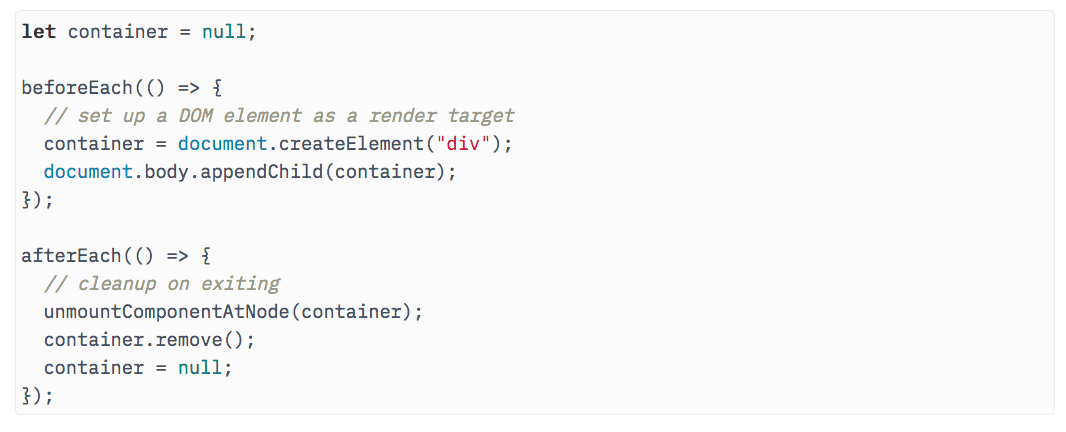
Once we have the test component, we need to mount it on the DOM.
Notice thatcontainerhas to be a global variable since we want to have access to it for test assertions.

initiate the test usingyarn test, and it works as expected.
Heres thecomplete code on GitHub.
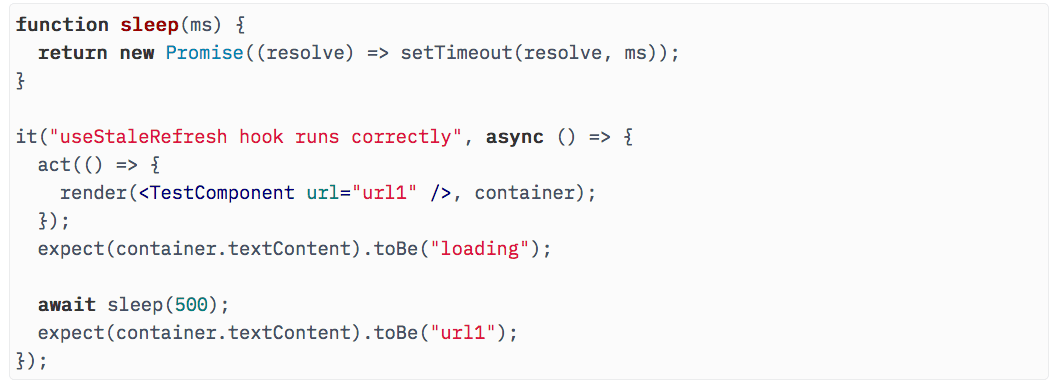
Now, lets test when thisloadingtext changes to the fetched response data,url1.

How do we do that?
If you look atfetchMock, you see we wait for 200-500 milliseconds.
What if we put asleepin the test that waits for 500 milliseconds?
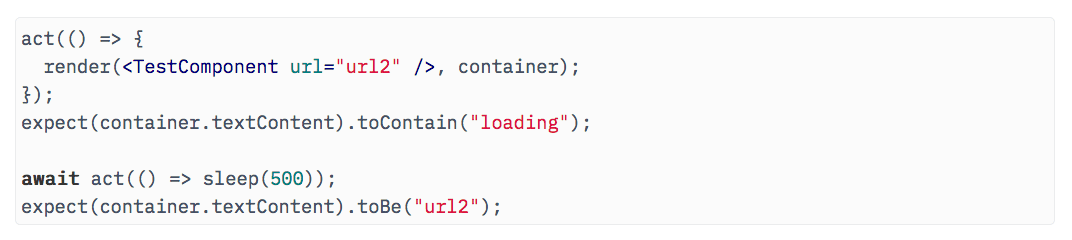
It will cover all possible wait times.
The test passes, but we see an error as well (code).
This is because the state update inuseStaleRefreshhook happens outsideact().

So, we need to wrap our sleep withactas this is the time the state update happens.
After doing so, the error goes away.
Now, run it again (code on GitHub).
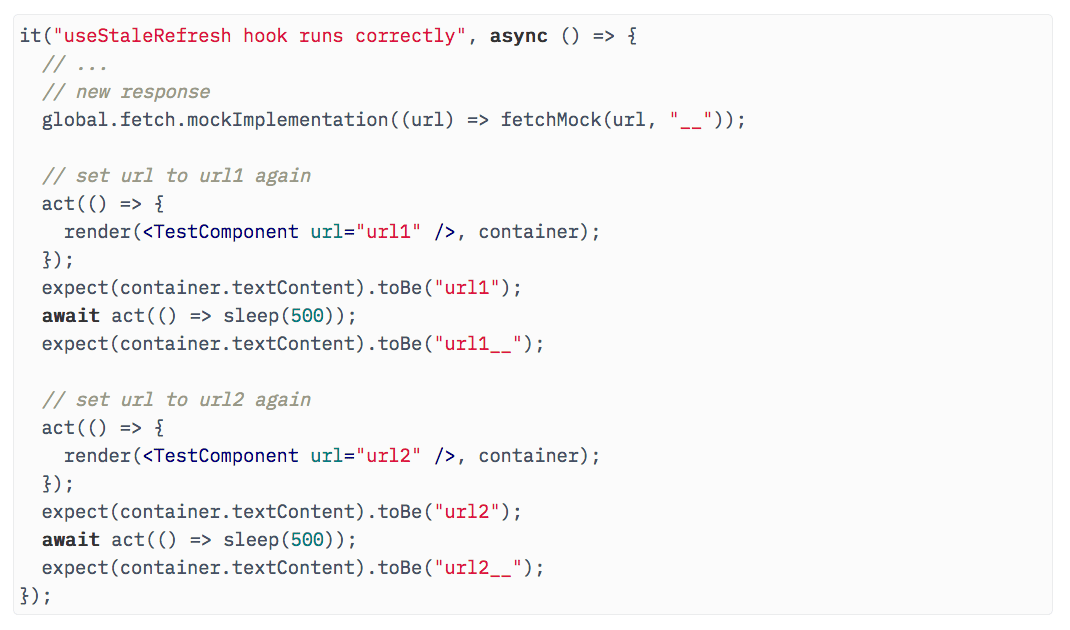
As expected, it passes without errors.
Since we now know how to correctly wait for async changes, this should be easy.
Run this test, and it passes as well.
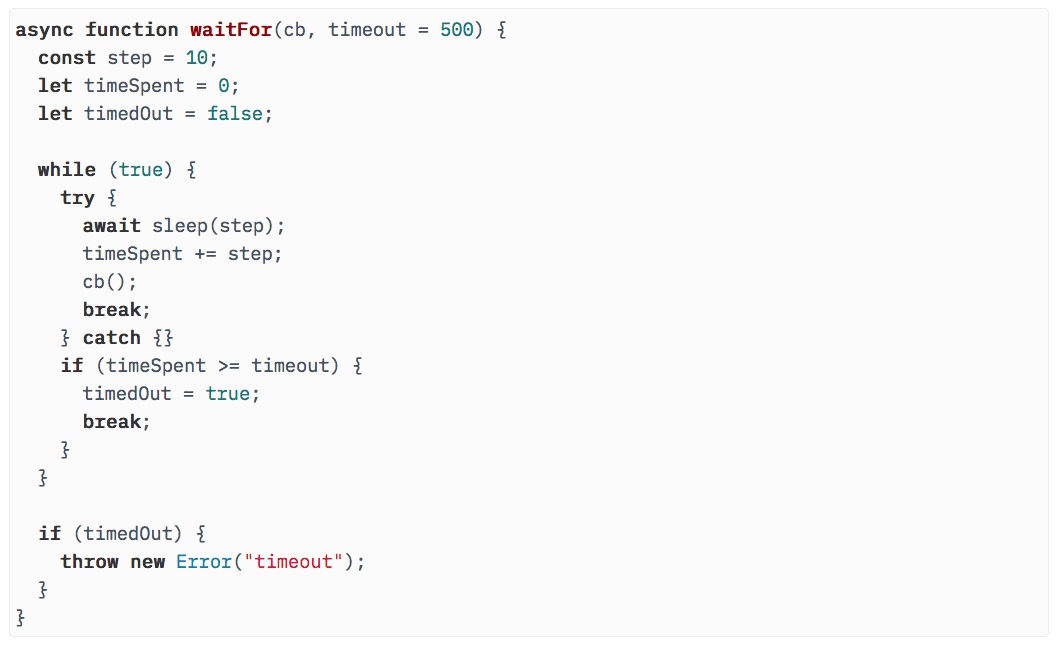
Now, we can also test the case where response data changes and the cache comes into play.
You will notice that we have an additional argumentsuffixin ourfetchMockfunction.
This is for changing the response data.
So we update our fetch mock to use thesuffix.
Now, we can test the case where the URL is set tourl1again.
It first loadsurl1and thenurl1__.
We can do the same forurl2, and there should be no surprises.
This entire test gives us the confidence that the hook does indeed work as expected (code).
Now, lets take a quick look at optimization using helper methods.
The approach is not perfect but it works.
And yet, can we do better?
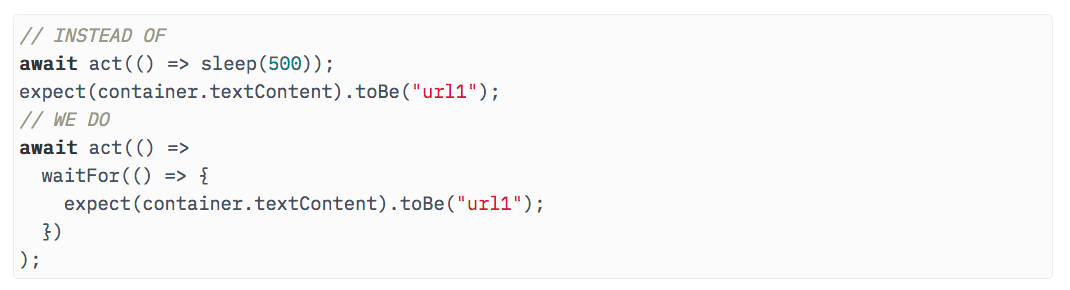
So, we are clearly wasting time here.
We can handle this better by just waiting for the time each request takes.
How do we do that?
A simple technique is executing the assertion until it passes or a timeout is reached.
Lets create awaitForfunction that does that.
Now, all this is great, but maybe we dont want to test the hook via UI.
Maybe we want to test a hook using its return values.

How do we do that?
It wont be difficult because we already have access to our hooks return values.
They are just inside the component.

If we can take those variables out to the global scope, it will work.
So lets do that.
We should also remove the destructuring in hooks return to make it more generic.
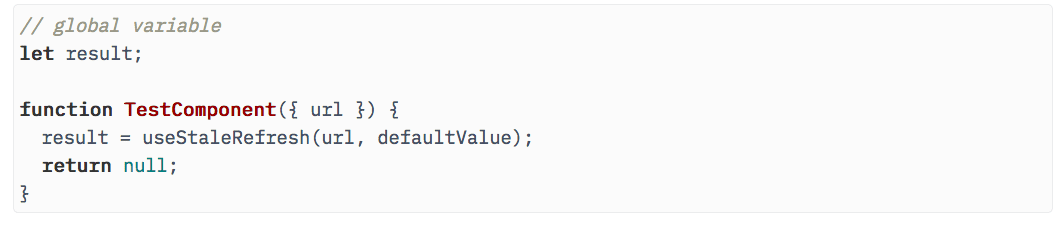
Thus, we have this updated test component.
Now the hooks return value is stored inresult, a global variable.
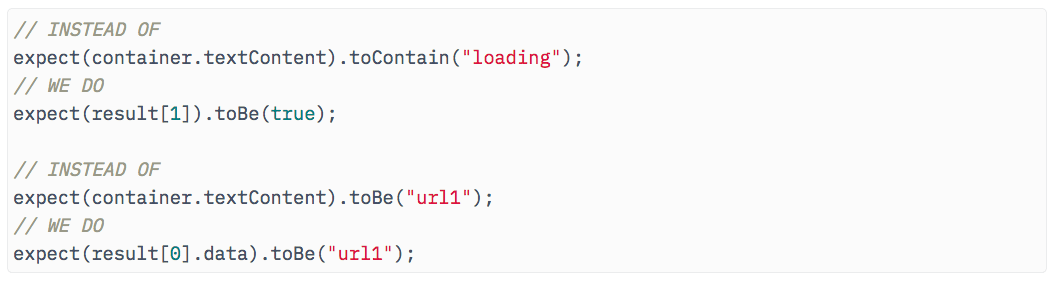
We can query it for our assertions.

After we change it everywhere, we can see our tests are passing (code).
At this point, we get the gist of testing React Hooks.
It should also render the hook in the test component and give us access to theresultvariable.

Lets see how we can do that.
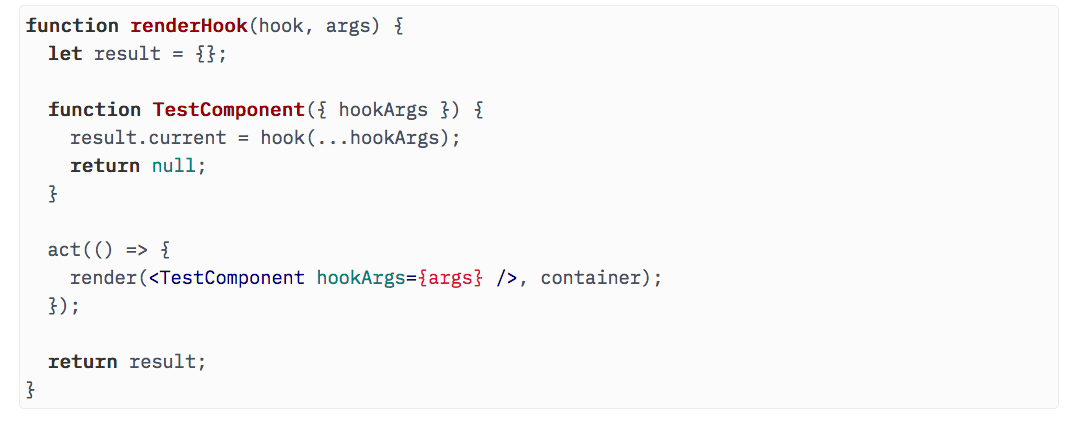
First, we moveTestComponentandresultinside the function.
Using that, heres what we have.

We are calling this functionrenderHook.
Now, how do we go about updating the hook?
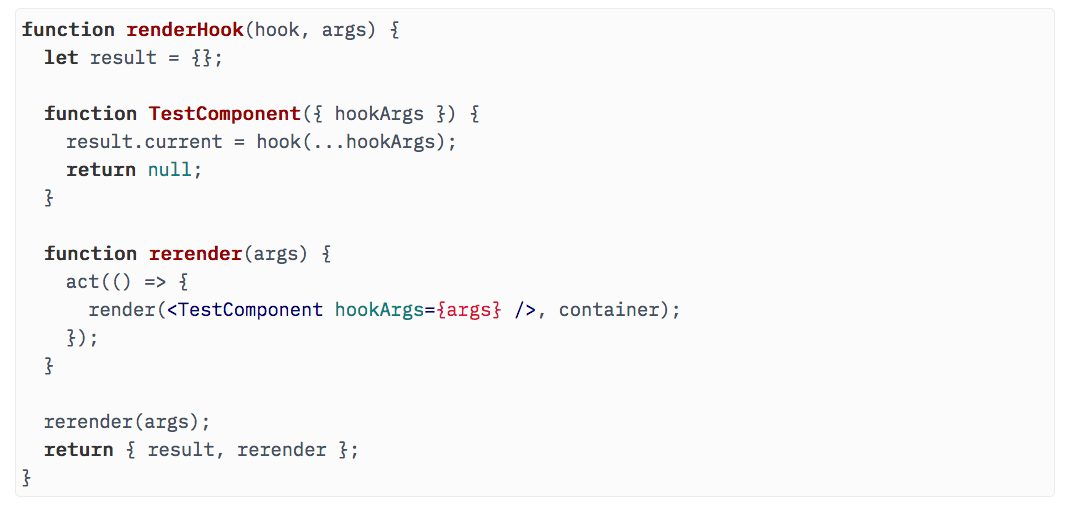
Since we are already using a closure, lets enclose another functionrerenderthat can do that.
The finalrenderHookfunction looks like this:
Now, we can use it in our test.
Instead of usingactandrender, we do the following:
Then, we can assert usingresult.currentand update the hook usingrerender.
Now we have a much cleaner abstraction to test hooks.
We can still do better for example,defaultValueneeds to be passed every time torerendereven though it doesnt change.
We can fix that.
Testing using React-hooks-testing-library
React-hooks-testing-library does everything we have talked about before and then some.
This allows us to focus on testing our hooks without getting distracted.
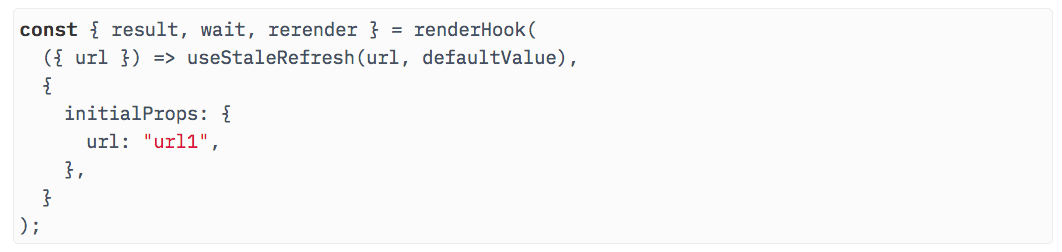
It comes with arenderHookfunction that returnsrerenderandresult.
It also returnswait, which is similar towaitFor, so you dont have to implement it yourself.
Here is how we render a hook in React-hooks-testing-library.
Notice the hook is passed in the form of a callback.
This callback is run every time the test component re-renders.
Then, we can test if the first render resulted inisLoadingas true and return value asdefaultValueby doing this.
Exactly similar to what we implemented above.
To test for async updates, we can use thewaitmethod thatrenderHookreturned.
It comes wrapped withact()so we dont need to wrapact()around it.
Then, we can usererenderto update it with new props.
Notice we dont need to passdefaultValuehere.
Finally, the rest of the test will proceed similarly (code).
