I have a problem.
Not a big one, mind, but one all the same: I dislike the default formatting onGoogleDocs.
I hear you scream.
And the answer to that, dear reader, is a resounding yes.
I use Google Docs constantly.
It’s free, every week, in your inbox.

The words unsophisticated and crude barely come close to how this affronts me.
Yet, foolishly, I accepted this state of affairs for years.
But then the day came when Id had enough.
How to change the default formatting on Google Docs
Its a simple process.
First thing you oughta do iswrite something with the formatting you want.
It can be a paragraph, a sentence, a couple of words, whatever, really.
Just write it and check that its formatted how youd like.
Choose your ideal font, text size, and line spacing in the menu bar.
Next up,select that text.

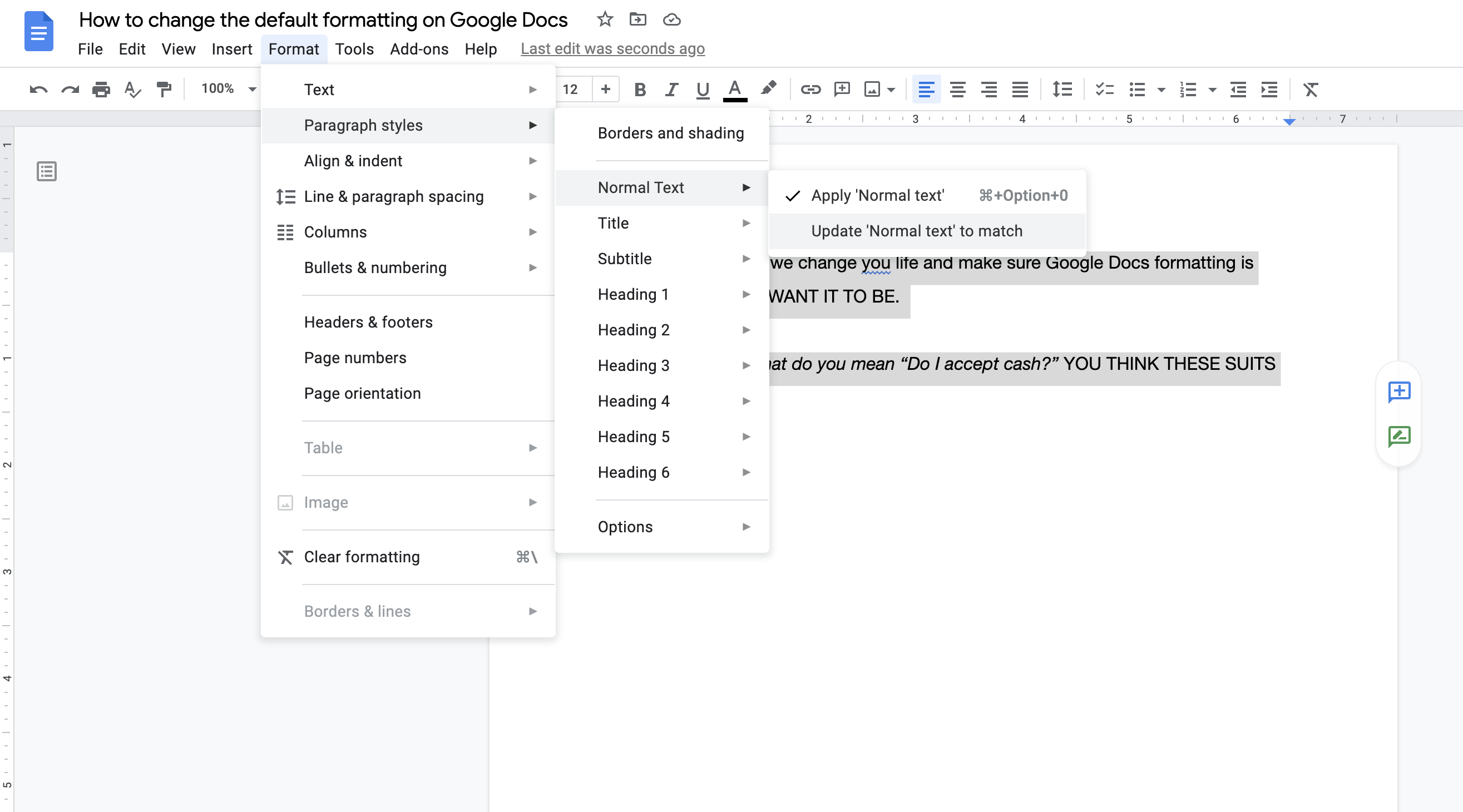
From there, click onParagraph stylesand navigate toNormal text.
One youre there,click Update Normal text to match.
Were almost done people, just one more thing.
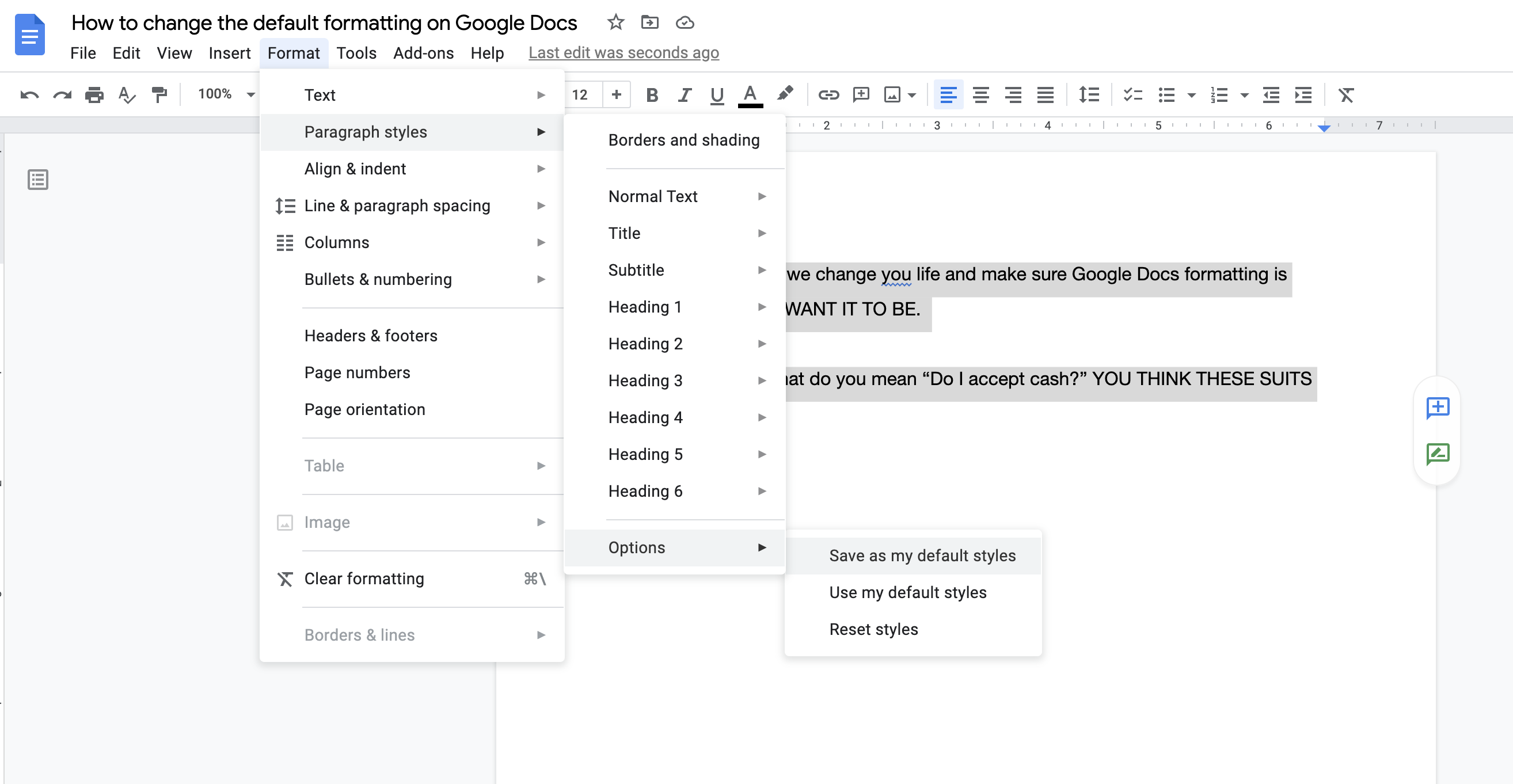
Go back to theFormatmenu.
Then, navigate toParagraph stylesand through toOptions.
Here, you should see something that says Save as my default styles.
CLICK IT SO DAMN HARD.
Now all thats left to do is open a new Google Doc to see if it worked.
And it did, right?
And I bet youre feeling pretty magnificent about life right now.
The default Google Docs formatting I went for?
Easy: Helvetica Neue, size 12, 1.5 line spacing.
The choice of kings and overgrown manchildren who have too much time on their grubby hands.
